¶ MQTT Broker Settings
openHop is a complex setup consisting of two parts: a modem, physical LoRa radio, and a Repeater, software that controls the modem traffic. It can also integrate with Home Assistant for telemetry integration.
This won't cover install and initial setup due to its complexity. Below are the settings to integrate it with NXTmesh Corescope.
- Go to Settings > Observer
- Update the IATA Code to your local code
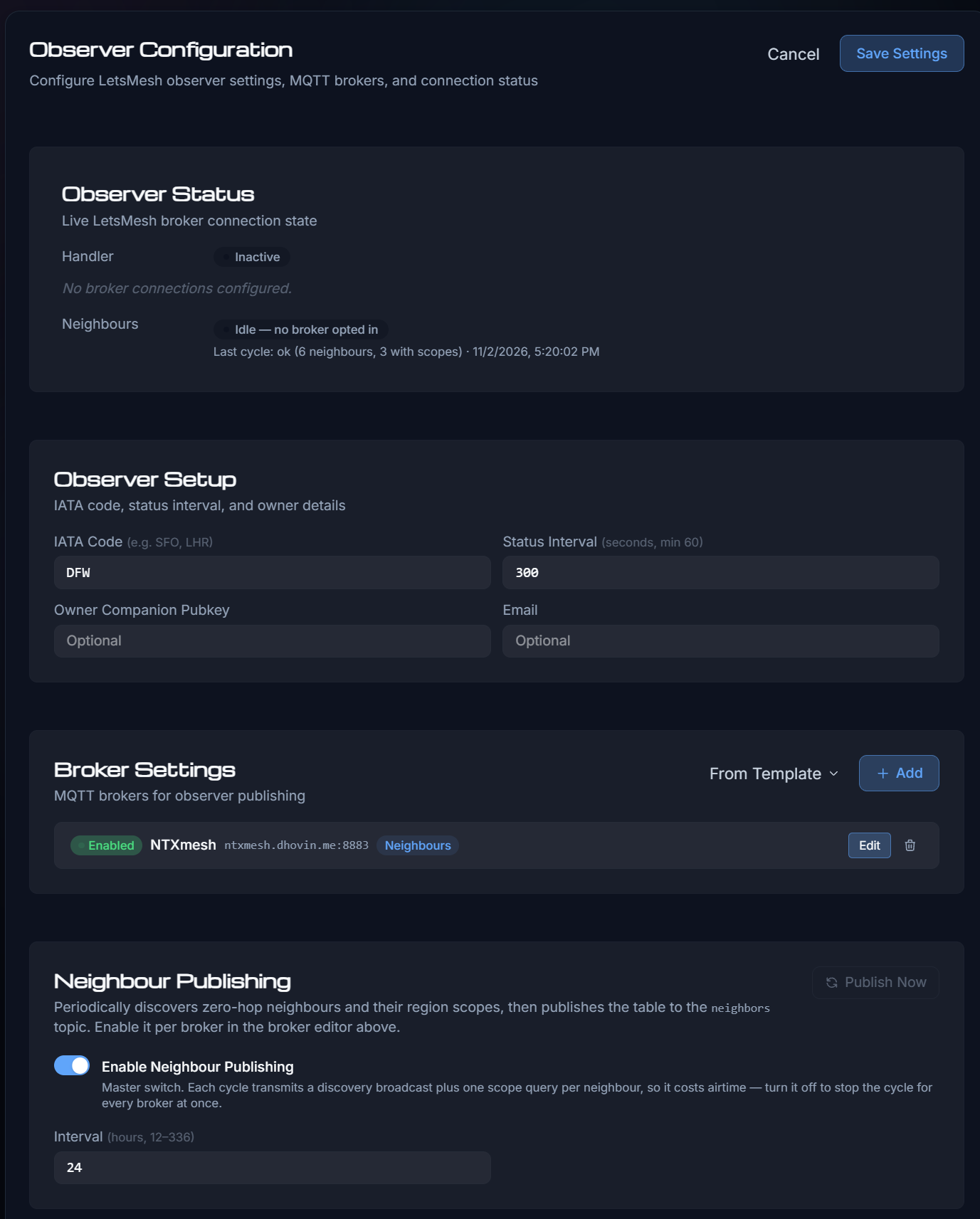
- Click
+ Add - Fill in the fields like the below example.
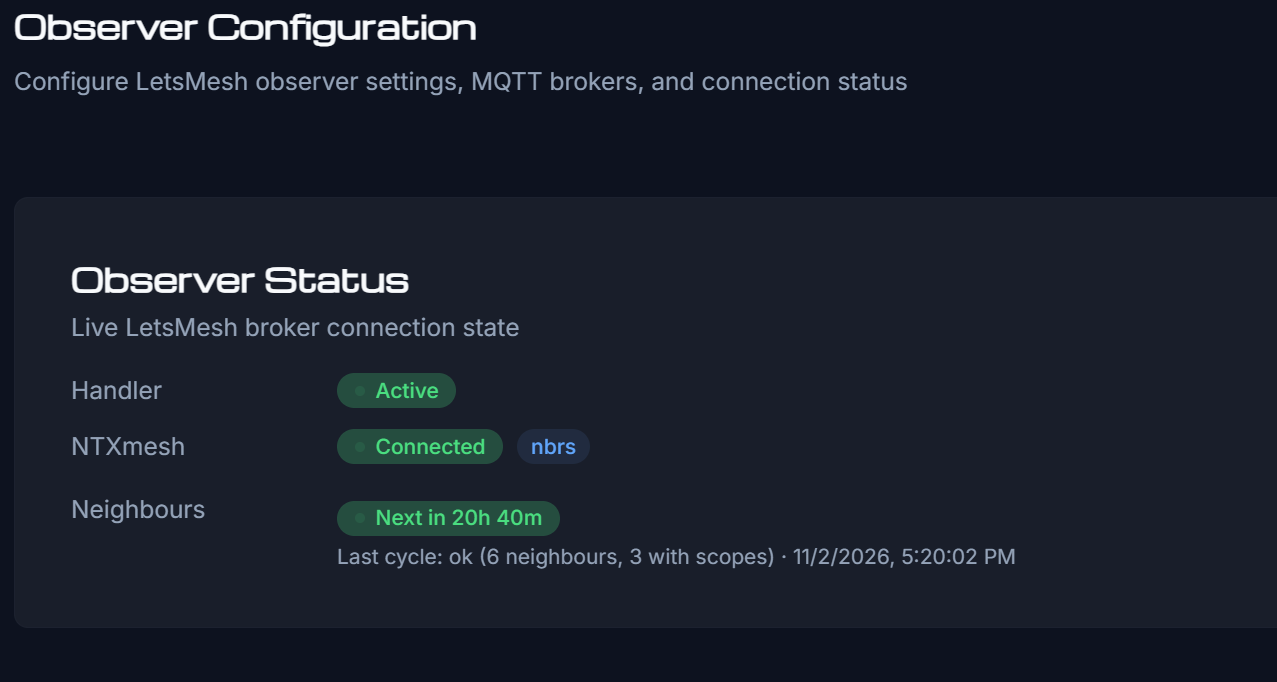
- If settings are correct the top section should look like this.
¶ Transfer Private Key from orl Repeater
If you migrate an existing MeshCore repeater to openHop in Docker, the default public key will change unless you inject the original identity.
MeshCore firmware exports a 64-byte (128 hex character) key [32-byte scalar][32-byte nonce]. Slicing it to 32 bytes breaks the key derivation because openHop needs the full 64 bytes to derive the public key without hashing (crypto_scalarmult_ed25519_base_noclamp).
¶ Step 1: Base64-Encode the Full 64-Byte Key
Take your 128-hex-character private key (obtained from get prv.key over serial) and convert all 64 bytes into Base64:
python3 -c "import base64; print(base64.b64encode(bytes.fromhex('PASTE_YOUR_128_HEX_CHAR_KEY')).decode())"
This will output an 88-character Base64 string ending in ==.
¶ Step 2: (Optional) Verify the Public Key Matches
Verify that the key derives your previous public key before touching config files:
python3 -c "import nacl.bindings; key = bytes.fromhex('PASTE_YOUR_128_HEX_CHAR_KEY'); pub = nacl.bindings.crypto_scalarmult_ed25519_base_noclamp(key[:32]); print('Derived PubKey:', pub.hex()); print('Node Prefix:', hex(pub[0]))"
¶ Step 3: Update openHop config.yaml
-
Stop the running Docker container:
docker stop openhop-repeater -
Open your persistent configuration file (adjust path to your host mount, e.g.
/media/openhop-repeater/config/config.yamlor~/openhop/config/config.yaml):nano /media/openhop-repeater/config/config.yaml -
Locate the
repeater:section and updateidentity_key:with the 88-character Base64 string (ensure 4 spaces of indentation):repeater: ... identity_key: !!binary | YOUR_88_CHAR_BASE64_KEY_HERE -
Save and exit (Ctrl+O, Enter, Ctrl+X).
-
Fix host file permissions for the container service user (UID 15888):
sudo chown repeater:repeater /media/openhop-repeater/config/config.yamlOr if the user doesn't exist on host:
sudo chown 15888:15888 /media/openhop-repeater/config/config.yaml
¶ Step 4: Restart & Verify
-
Start the container:
docker start openhop-repeater -
Confirm the loaded public key in startup logs:
docker logs openhop-repeater | grep -i "public key"
Your openHop repeater will now broadcast under your original public key and retain its existing mesh routing identity.